Bambu Lab P1S 3D Printer: Comprehensive Review, Features and Guide
3D printing technology has rapidly evolved, offering hobbyists, engineers, and small businesses powerful tools to create and prototype with ease. Among the latest entries shaping the desktop 3D printing landscape is the Bambu Lab P1S 3D Printer.
This in-depth guide explores why the Bambu Lab P1S is a top choice, covering its technical specifications, key features, user experience, and essential buying considerations. If you’re searching for a reliable, versatile, and user-friendly 3D printer, read on to discover why the Bambu Lab P1S stands out.
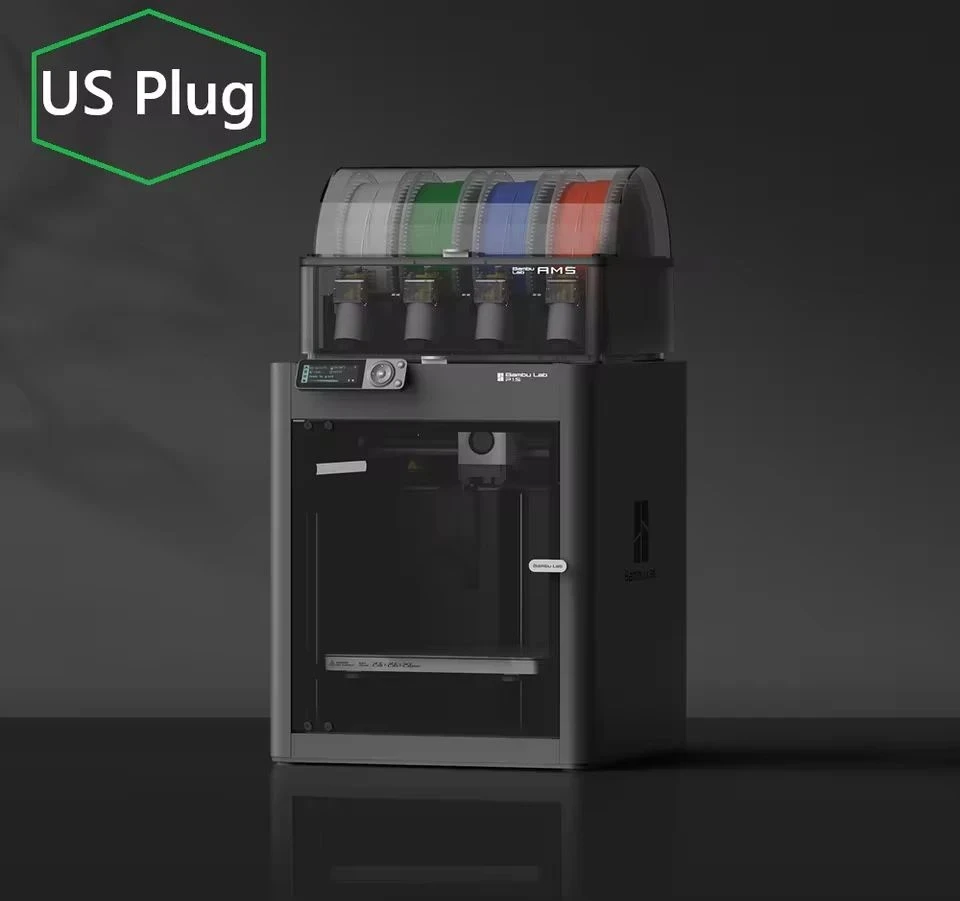
Why Choose the Bambu Lab P1S 3D Printer?
Choosing the right 3D printer can be daunting given the many models on the market. The Bambu Lab P1S emerges as a favorite for both beginners and advanced users due to its balance of precision, reliability, and customizable features. Here are some compelling reasons why the P1S is rapidly gaining popularity:
- Ease of Use: Designed for simple setup and operation, the P1S lowers the entry barrier for newcomers to 3D printing.
- Outstanding Print Quality: Delivers smooth surfaces and fine details, ideal for intricate projects.
- Sturdy Build: Crafted with robust materials for longevity and stability during high-speed printing.
- Versatility: Supports a wide range of filament types and print modes for various applications.
- Smart Features: Includes auto-bed leveling, filament sensors, and Wi-Fi connectivity for maximum convenience.
Bambu Lab P1S 3D Printer Technical Specifications
A closer look at the hardware and features helps potential buyers assess fit for intended projects. Below is a specification summary for quick reference:
| Specification | Description |
|---|---|
| Build Volume | 256 x 256 x 256 mm: Substantial print area suitable for medium and intricate objects. Allows users to create detailed prototypes, miniatures, or household items efficiently. |
| Print Technology | Fused Deposition Modeling (FDM): Utilizes advanced extrusion to print layer by layer with precision, resulting in smooth surface finish and intricate details. |
| Nozzle Size | Standard 0.4 mm nozzle: Offers balance of detail and speed. Compatible with direct upgrades for specialized printing needs such as fine details or higher flow rate. |
| Max Print Speed | Up to 500 mm/s: High-speed printing significantly reduces project times. Ideal for fast prototyping and efficient batch production without compromising quality. |
| Filament Compatibility | PLA, ABS, PETG, TPU, ASA and more: Flexible material compatibility expands prototype versatility and enables a variety of applications from toys to mechanical parts. |
| Auto Bed Leveling | Automated bed leveling: Reduces calibration time and ensures excellent first-layer adhesion for consistent, high-quality prints without manual adjustment. |
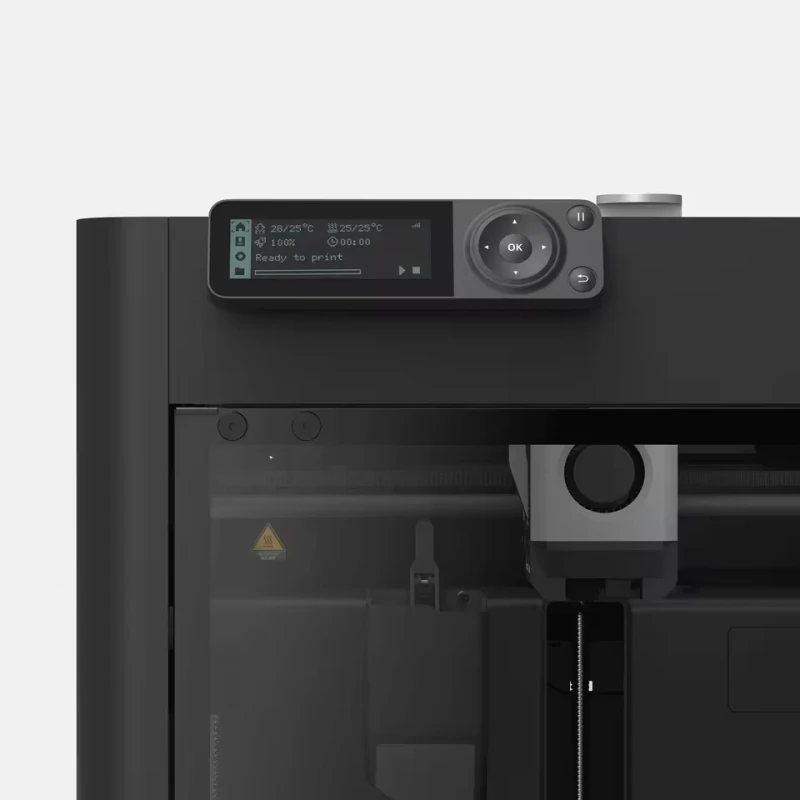
| Touchscreen Display | Color touchscreen interface: Intuitive navigation allows easy print monitoring, model selection, and printer maintenance in an accessible display format. |
| Wi-Fi Connectivity | Wireless control: Offers seamless integration with slicing software and remote monitoring, simplifying print management across devices. |
| Noise Level | Low operational noise: Quiet printing suitable for home and office use, ensuring minimal disturbances during extended print sessions. |
| Safety Features | Filament runout sensor, power recovery: Mitigates failed prints due to filament exhaustion or power interruptions, increasing successful print rates. |
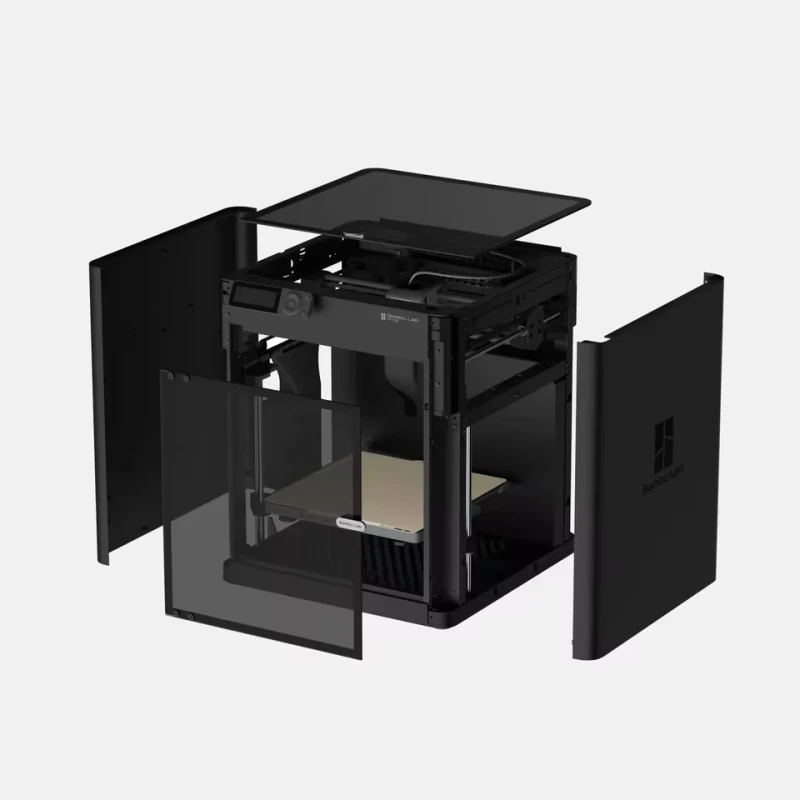
Key Features that Define the Bambu Lab P1S
1. Fast and Precise Printing
The Bambu Lab P1S impresses with its combination of high printing speed and precision. The print head’s advanced design enables movements up to 500 mm/s, which drastically reduces the overall creation time for your projects without sacrificing print quality. This is a game-changer for hobbyists and professionals who value both efficiency and detail.
2. Flexible Filament Options
One of the highlights of the P1S is its compatibility with a wide range of filament types, including PLA, ABS, PETG, TPU, and ASA. This flexibility empowers users to experiment with different materials, whether you’re making functional prototypes, decorative models, or mechanical parts that require special material properties.
3. Smart Automation
The auto-bed leveling feature ensures your prints start off on a perfectly aligned bed, virtually eliminating first-layer issues. Combined with real-time filament detection and power-loss recovery, the Bambu Lab P1S automates key aspects of 3D printing, saving you time and reducing failed print jobs.
4. User-Friendly Interface
From its vibrant touchscreen display, users can easily launch, monitor, and manage prints. The user interface is intuitive enough for first-time operators, yet robust enough for advanced tinkerers who want to customize settings.
5. Remote Management and Monitoring
With onboard Wi-Fi connectivity, the P1S can be managed remotely through compatible slicing software. Whether you are at home or in the office, it’s easy to initiate, pause, or queue jobs from your PC or even a smartphone.
Setting Up the Bambu Lab P1S: A Step-by-Step Guide
1. Unboxing and Assembly
- Carefully unpack all components and check for shipping damage.
- Follow the quick-start guide included in the box for assembling the base and print head.
2. Initial Calibration
- Plug in the printer and power it on.
- The auto-bed leveling feature will guide you through the initial calibration steps.
- Load the filament and follow the touchscreen prompts to perform a test print.
3. Software Installation
- Download the recommended slicing software from Bambu Lab’s website.
- Connect your printer to your Wi-Fi network for remote management and firmware updates.
- Import or design your 3D models, slice them, and send the file to your P1S.
Best Practices for Successful Printing
Filament Handling
- Store filament spools in a dry, dust-free environment to prevent moisture absorption.
- Feed filament straight to the extruder to avoid tangles or jams.
Regular Maintenance
- Clean the build plate after every print for optimal adhesion.
- Check nozzle and extruder parts for clogs or residue buildup.
- Update firmware regularly for improved features and stability.
Print Settings Optimization
- Experiment with layer heights (e.g., 0.08–0.2 mm) to balance speed and detail.
- Adjust print speeds depending on filament type for best results.
- Use recommended slicer profiles for each material to minimize troubleshooting.
Applications and Use Cases for the Bambu Lab P1S
The flexibility of the Bambu Lab P1S makes it suitable for various users and applications:
- Prototyping: Engineers and designers can rapidly test and iterate designs.
- DIY Projects: Hobbyists create custom gadgets, replacement parts, and decorations.
- Education: Teachers and students explore STEM concepts by designing and printing models.
- Art and Design: Artists craft sculptures, jewelry, and unique artistic pieces with complex geometries.
- Small-Scale Manufacturing: Couture makers or small business owners produce short runs or bespoke products.
Advantages Over Competing Models
When comparing the Bambu Lab P1S to other 3D printers in its category, several key advantages stand out:
- Simplified Setup: Fewer assembly steps and detailed documentation get you printing faster.
- Integrated Smart Features: Automatic recovery from power failures and filament issues, which some competitors lack.
- Low Maintenance: Designed for easy cleaning and consistent reliability, reducing downtime.
- Vibrant Community: Helpful online support and a growing community of users provide troubleshooting tips and inspiration for new projects.
Tips for Maximizing Print Quality with the Bambu Lab P1S
- Use high-quality, manufacturer-recommended filaments for best results.
- Keep firmware and software up to date to access the latest features.
- Experiment with different print settings on smaller models before scaling up.
- Enable print cooling where appropriate to improve overhangs and bridges.
- Regularly inspect the build plate for warping and replace if needed.
Frequently Asked Questions
Is the Bambu Lab P1S suitable for beginners?
Absolutely. Its intuitive setup, auto-leveling, and user-friendly touchscreen make it especially accessible for those new to 3D printing.
Can the P1S print with exotic or flexible filaments?
Yes. With compatibility for materials like TPU and ASA, the Bambu Lab P1S supports both flexible and specialty filaments when using the correct print settings.
How does the Wi-Fi feature work?
The printer can connect to your home or office Wi-Fi, allowing you to send prints, monitor progress, and receive notifications or firmware updates remotely.
What maintenance is required?
Basic maintenance includes cleaning the build plate, checking for nozzle blockages, updating firmware, and occasionally lubricating moving parts to ensure smooth operation.
Final Thoughts: Is the Bambu Lab P1S the Right Choice?
Combining high-speed performance, versatile material capacity, and user-friendly features, the Bambu Lab P1S 3D Printer is an excellent investment for anyone passionate about 3D printing. Its high precision, trouble-free setup, and smart automation features set it apart from many alternatives in its class, making it worthwhile for both hobbyists and those engaged in more serious design or prototyping work.
Whether you are a novice looking to explore the world of 3D printing or a seasoned user in search of an upgrade, the Bambu Lab P1S has the technology and support to bring your creative visions to life efficiently and reliably.