Skip to content

HIGH-TECH STORE – SMART GADGETS & ELECTRONICS

Laptops, Smartphones, Tablets, Tv, Watches & More

Primary Menu
  • HOME
  • FLASH DEALS
  • PROMO CODES
  • SITEMAP
  • NEWSLETTER
  • CONTACT
Live
  • Home
  • Printers 3D
  • Bambu Lab P1S 3D Printer Review: Features, Specs & User Guide
  • Printers 3D

Bambu Lab P1S 3D Printer Review: Features, Specs & User Guide

nex4cbh7 8 minutes read

Table of Contents

Toggle
  • Bambu Lab P1S 3D Printer: Comprehensive Review, Features and Guide
  • Why Choose the Bambu Lab P1S 3D Printer?
  • Bambu Lab P1S 3D Printer Technical Specifications
  • Key Features that Define the Bambu Lab P1S
    • 1. Fast and Precise Printing
    • 2. Flexible Filament Options
    • 3. Smart Automation
    • 4. User-Friendly Interface
    • 5. Remote Management and Monitoring
  • Setting Up the Bambu Lab P1S: A Step-by-Step Guide
    • 1. Unboxing and Assembly
    • 2. Initial Calibration
    • 3. Software Installation
  • Best Practices for Successful Printing
    • Filament Handling
    • Regular Maintenance
    • Print Settings Optimization
  • Applications and Use Cases for the Bambu Lab P1S
  • Advantages Over Competing Models
  • Tips for Maximizing Print Quality with the Bambu Lab P1S
  • Frequently Asked Questions
      • Is the Bambu Lab P1S suitable for beginners?
      • Can the P1S print with exotic or flexible filaments?
      • How does the Wi-Fi feature work?
      • What maintenance is required?
  • Final Thoughts: Is the Bambu Lab P1S the Right Choice?

Bambu Lab P1S 3D Printer: Comprehensive Review, Features and Guide

3D printing technology has rapidly evolved, offering hobbyists, engineers, and small businesses powerful tools to create and prototype with ease. Among the latest entries shaping the desktop 3D printing landscape is the Bambu Lab P1S 3D Printer.

This in-depth guide explores why the Bambu Lab P1S is a top choice, covering its technical specifications, key features, user experience, and essential buying considerations. If you’re searching for a reliable, versatile, and user-friendly 3D printer, read on to discover why the Bambu Lab P1S stands out.
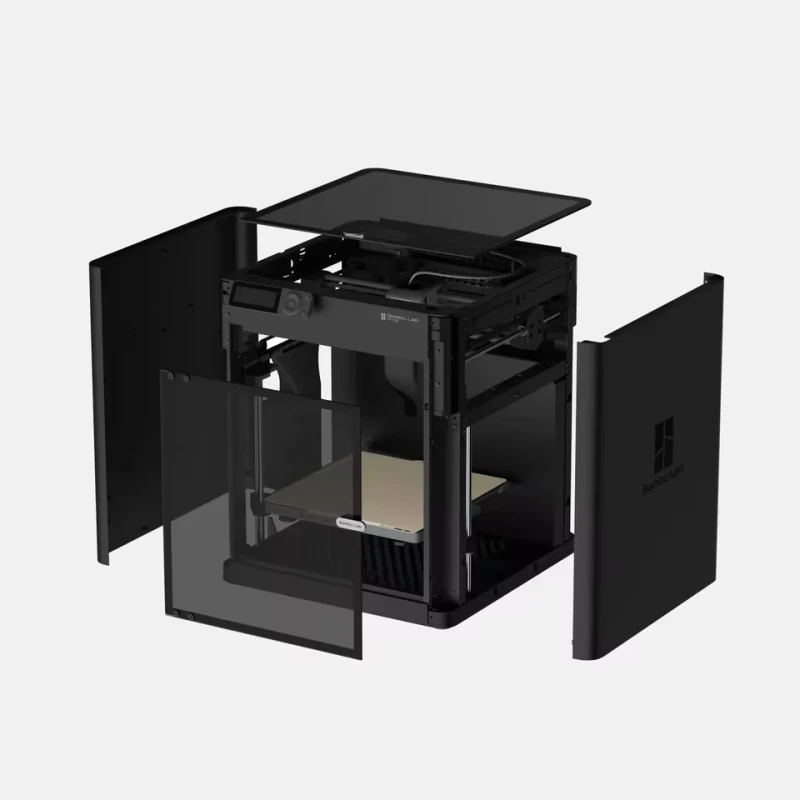
Bambu lab 3d printers

Why Choose the Bambu Lab P1S 3D Printer?

Choosing the right 3D printer can be daunting given the many models on the market. The Bambu Lab P1S emerges as a favorite for both beginners and advanced users due to its balance of precision, reliability, and customizable features. Here are some compelling reasons why the P1S is rapidly gaining popularity:

  • Ease of Use: Designed for simple setup and operation, the P1S lowers the entry barrier for newcomers to 3D printing.
  • Outstanding Print Quality: Delivers smooth surfaces and fine details, ideal for intricate projects.
  • Sturdy Build: Crafted with robust materials for longevity and stability during high-speed printing.
  • Versatility: Supports a wide range of filament types and print modes for various applications.
  • Smart Features: Includes auto-bed leveling, filament sensors, and Wi-Fi connectivity for maximum convenience.

Bambu Lab P1S 3D Printer Technical Specifications

A closer look at the hardware and features helps potential buyers assess fit for intended projects. Below is a specification summary for quick reference:

Specification Description
Build Volume 256 x 256 x 256 mm: Substantial print area suitable for medium and intricate objects. Allows users to create detailed prototypes, miniatures, or household items efficiently.
Print Technology Fused Deposition Modeling (FDM): Utilizes advanced extrusion to print layer by layer with precision, resulting in smooth surface finish and intricate details.
Nozzle Size Standard 0.4 mm nozzle: Offers balance of detail and speed. Compatible with direct upgrades for specialized printing needs such as fine details or higher flow rate.
Max Print Speed Up to 500 mm/s: High-speed printing significantly reduces project times. Ideal for fast prototyping and efficient batch production without compromising quality.
Filament Compatibility PLA, ABS, PETG, TPU, ASA and more: Flexible material compatibility expands prototype versatility and enables a variety of applications from toys to mechanical parts.
Auto Bed Leveling Automated bed leveling: Reduces calibration time and ensures excellent first-layer adhesion for consistent, high-quality prints without manual adjustment.
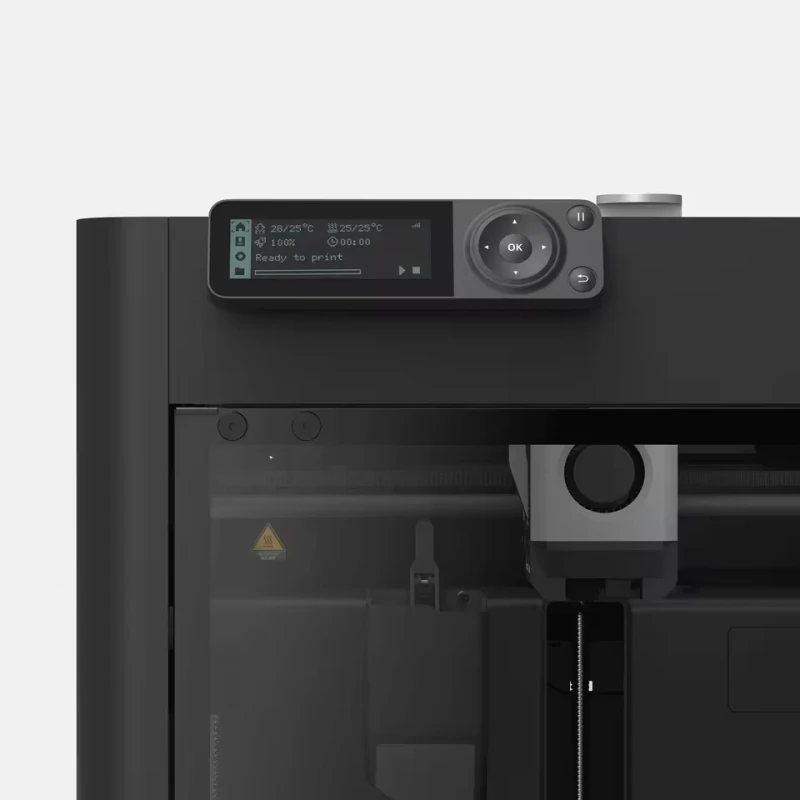
Touchscreen Display Color touchscreen interface: Intuitive navigation allows easy print monitoring, model selection, and printer maintenance in an accessible display format.
Wi-Fi Connectivity Wireless control: Offers seamless integration with slicing software and remote monitoring, simplifying print management across devices.
Noise Level Low operational noise: Quiet printing suitable for home and office use, ensuring minimal disturbances during extended print sessions.
Safety Features Filament runout sensor, power recovery: Mitigates failed prints due to filament exhaustion or power interruptions, increasing successful print rates.
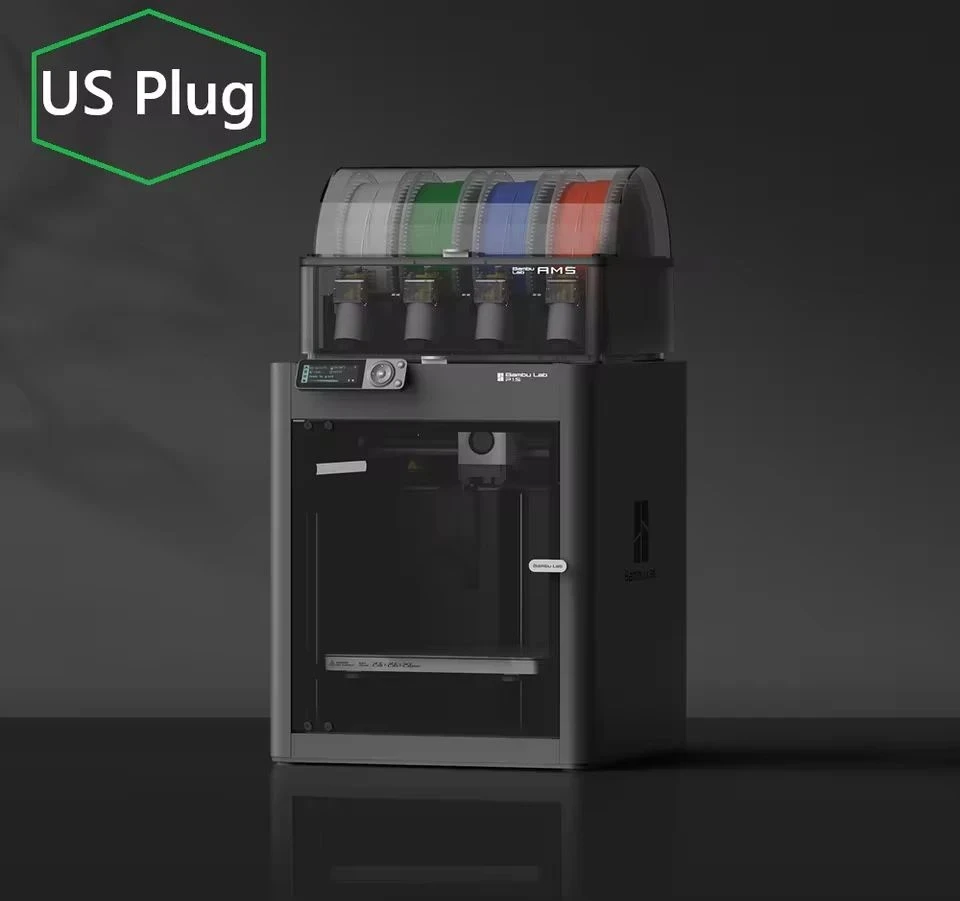
Bambu lab 3d printers

Key Features that Define the Bambu Lab P1S

1. Fast and Precise Printing

The Bambu Lab P1S impresses with its combination of high printing speed and precision. The print head’s advanced design enables movements up to 500 mm/s, which drastically reduces the overall creation time for your projects without sacrificing print quality. This is a game-changer for hobbyists and professionals who value both efficiency and detail.

2. Flexible Filament Options

One of the highlights of the P1S is its compatibility with a wide range of filament types, including PLA, ABS, PETG, TPU, and ASA. This flexibility empowers users to experiment with different materials, whether you’re making functional prototypes, decorative models, or mechanical parts that require special material properties.

3. Smart Automation

The auto-bed leveling feature ensures your prints start off on a perfectly aligned bed, virtually eliminating first-layer issues. Combined with real-time filament detection and power-loss recovery, the Bambu Lab P1S automates key aspects of 3D printing, saving you time and reducing failed print jobs.

4. User-Friendly Interface

From its vibrant touchscreen display, users can easily launch, monitor, and manage prints. The user interface is intuitive enough for first-time operators, yet robust enough for advanced tinkerers who want to customize settings.

5. Remote Management and Monitoring

With onboard Wi-Fi connectivity, the P1S can be managed remotely through compatible slicing software. Whether you are at home or in the office, it’s easy to initiate, pause, or queue jobs from your PC or even a smartphone.

Setting Up the Bambu Lab P1S: A Step-by-Step Guide

1. Unboxing and Assembly

  • Carefully unpack all components and check for shipping damage.
  • Follow the quick-start guide included in the box for assembling the base and print head.

2. Initial Calibration

  • Plug in the printer and power it on.
  • The auto-bed leveling feature will guide you through the initial calibration steps.
  • Load the filament and follow the touchscreen prompts to perform a test print.

3. Software Installation

  • Download the recommended slicing software from Bambu Lab’s website.
  • Connect your printer to your Wi-Fi network for remote management and firmware updates.
  • Import or design your 3D models, slice them, and send the file to your P1S.

Best Practices for Successful Printing

Filament Handling

  1. Store filament spools in a dry, dust-free environment to prevent moisture absorption.
  2. Feed filament straight to the extruder to avoid tangles or jams.

Regular Maintenance

  1. Clean the build plate after every print for optimal adhesion.
  2. Check nozzle and extruder parts for clogs or residue buildup.
  3. Update firmware regularly for improved features and stability.

Print Settings Optimization

  • Experiment with layer heights (e.g., 0.08–0.2 mm) to balance speed and detail.
  • Adjust print speeds depending on filament type for best results.
  • Use recommended slicer profiles for each material to minimize troubleshooting.

Applications and Use Cases for the Bambu Lab P1S

The flexibility of the Bambu Lab P1S makes it suitable for various users and applications:

  • Prototyping: Engineers and designers can rapidly test and iterate designs.
  • DIY Projects: Hobbyists create custom gadgets, replacement parts, and decorations.
  • Education: Teachers and students explore STEM concepts by designing and printing models.
  • Art and Design: Artists craft sculptures, jewelry, and unique artistic pieces with complex geometries.
  • Small-Scale Manufacturing: Couture makers or small business owners produce short runs or bespoke products.

Advantages Over Competing Models

When comparing the Bambu Lab P1S to other 3D printers in its category, several key advantages stand out:

  • Simplified Setup: Fewer assembly steps and detailed documentation get you printing faster.
  • Integrated Smart Features: Automatic recovery from power failures and filament issues, which some competitors lack.
  • Low Maintenance: Designed for easy cleaning and consistent reliability, reducing downtime.
  • Vibrant Community: Helpful online support and a growing community of users provide troubleshooting tips and inspiration for new projects.

Tips for Maximizing Print Quality with the Bambu Lab P1S

  • Use high-quality, manufacturer-recommended filaments for best results.
  • Keep firmware and software up to date to access the latest features.
  • Experiment with different print settings on smaller models before scaling up.
  • Enable print cooling where appropriate to improve overhangs and bridges.
  • Regularly inspect the build plate for warping and replace if needed.

Frequently Asked Questions

Is the Bambu Lab P1S suitable for beginners?

Absolutely. Its intuitive setup, auto-leveling, and user-friendly touchscreen make it especially accessible for those new to 3D printing.

Can the P1S print with exotic or flexible filaments?

Yes. With compatibility for materials like TPU and ASA, the Bambu Lab P1S supports both flexible and specialty filaments when using the correct print settings.

How does the Wi-Fi feature work?

The printer can connect to your home or office Wi-Fi, allowing you to send prints, monitor progress, and receive notifications or firmware updates remotely.

What maintenance is required?

Basic maintenance includes cleaning the build plate, checking for nozzle blockages, updating firmware, and occasionally lubricating moving parts to ensure smooth operation.

Final Thoughts: Is the Bambu Lab P1S the Right Choice?

Combining high-speed performance, versatile material capacity, and user-friendly features, the Bambu Lab P1S 3D Printer is an excellent investment for anyone passionate about 3D printing. Its high precision, trouble-free setup, and smart automation features set it apart from many alternatives in its class, making it worthwhile for both hobbyists and those engaged in more serious design or prototyping work.

Whether you are a novice looking to explore the world of 3D printing or a seasoned user in search of an upgrade, the Bambu Lab P1S has the technology and support to bring your creative visions to life efficiently and reliably.
Bambu lab 3d printers
SHARE BUTTONS

You May Also Like:

  • Beelink mini pc
    Beelink J45 Review: Intel J4205, 8GB RAM, 256GB SSD Mini PC
  • best buy products all in bestbuy
    Tech & Electronics Deals | Best Buy | N°1 Online Store
  • game3ai xpro gaming
    X2PRO Retro Game Console: 4K Arcade & 3D Gaming

Post navigation

Previous: Raspberry Pi CM5 PoE Board
Next: Post-Chinese New Year Sales: Premium Flagship Smartphones at Gshopper | Free Gifts

SHARE THIS PAGE

CATEGORIES

  • Apple
  • Console
  • Electric Bikes
  • Electronic
  • Esim
  • Laptops
  • Memory Cards
  • Mini Pc
  • Operating Systems
  • Phone & Accessories
  • Power Bank
  • Printers 3D
  • Promo Codes
  • Smartphones
  • Tablets
  • TVs 4K
  • Watches

NEWSLETTER TECH ARRIVALS ALERT

Loading

POPULAR POSTS

  • X2PRO Retro Game Console: 4K Arcade & 3D Gaming

    X2PRO Retro Game Console: The Ultimate 4K Arcade & 3D Gaming Experience for Your Home Are you searching for a powerful, versatile, and easy-to-use retro gaming console that brings together [...More]
  • Zerolag for Fireba AT15 Laptop – The best 15.6” Gaming Notebook

    Fireba AT15 Laptop – Power, Elegance, and Performance in One Package In today’s fast-paced digital world, your laptop isn’t just a tool—it’s a lifeline. Whether you’re gaming late into the [...More]
  • Beelink J45 Review: Intel J4205, 8GB RAM, 256GB SSD Mini PC

    Beelink J45 Review: The Ultimate Compact Powerhouse for Productivity and Media Our in-depth Beelink J45 review explores this fanless Intel J4205 mini PC. With 8GB RAM & 256GB SSD, is [...More]
  • Pure Sound Headphones – BlitzWolf Bone Conduction Mastery 32Gb

    Experience freedom with BlitzWolf BW-BTS8 bone conduction headphones. 32GB built-in memory for music without a phone, IPX8 waterproof rating for swimming, 10-hour battery, and secure open-ear design. Perfect for sports, [...More]
  • Premium MTB Electric Bike | Dynamic 250W Motor, 80km Range

    Redefine Your Ride : The Touroll U1 29" MTB Electric Bike – Where Power Meets Precision Tired of the same old commute? Do weekend trails call your name, but daunting [...More]
  • Xiaomi New 20000mAh Power Bank 67W – 3 Outputs Fast Charging

    Power Unchained: The Ultimate Review of the Xiaomi 20000mAh 67W Power Bank In an era where our lives are intrinsically tethered to digital devices, running out of battery isn't an [...More]
  • Best Fast Charging USB-C to USB-C Cable 100W 480Mbps

    Power Up Your Life: The Ultimate 100W Fast Charging & High-Speed Data USB-C to USB-C Cable Tired of flimsy cables that break, charge slowly, and can't keep up with your [...More]
  • Your Geekbuying Coupon Guide | Unlock Massive Savings

    Unlock Massive Savings: Your Ultimate Guide to Geekbuying Coupons and Promo Codes In the vast, exciting universe of online tech marketplaces, Geekbuying stands out as a beacon for gadget lovers, [...More]
  • Raspberry Pi CM5 PoE Board

    Unlock the Power of Compute Module 5: Raspberry Pi CM5 PoE Expansion Board Review The Raspberry Pi Compute Module 5 (CM5) represents a significant leap forward in embedded computing power. [...More]
  • Shop MS Windows 11 Professional Download – Genuine License Key Online

    MS Windows 11 Professional – Instant Download & Lifetime License Experience the Future of Productivity and Security with Windows 11 Professional Upgrade your PC experience with Microsoft Windows 11 Professional, [...More]
  • Ultimate Anker iPhone 16 Charger 20W Fast USB-C Charger

    Anker iPhone 16 Charger (2-Pack, 20W Fast Charger wlienliith Cables) When it comes to charging your iPhone or iPad, speed, safety, and reliability matter most. That’s exactly what the Anker iPhone [...More]

Deals – 80% Off

Gshopper Many GEOs

FEATURED CONTENT

  • Beelink mini pc
    Beelink J45 Review: Intel J4205, 8GB RAM, 256GB SSD Mini PC
  • best buy products all in bestbuy
    Tech & Electronics Deals | Best Buy | N°1 Online Store
  • game3ai xpro gaming
    X2PRO Retro Game Console: 4K Arcade & 3D Gaming
  • Blackview WAVE 7C, 4GB+128GB, 6.56 inch Android 16
    Blackview Wave 7C Smartphone 4GB 128GB 4G
  • Lenovo.com, lenovo laptops, tablets, gaming PCs, and monitors.
    Shop Lenovo® Laptops, PCs & Tech | Enjoy Official…
  • geekbuying coupon Promo codes app
    Your Geekbuying Coupon Guide | Unlock Massive Savings
  • LOKMAT ZEUS 6 PRO Smartwatch, Dual Flashlight, Bluetooth Calling, 5ATM Waterproof, AI Voice Assistant, Health Monitoring - Black
    LOKMAT ZEUS 6 PRO Smartwatch: Rugged Outdoor Watch
  • MS Windows 11 Professional – Instant Download & Lifetime License
    Shop MS Windows 11 Professional Download – Genuine…
  • 66PCS Mobile Phone Speaker Charging Port Cleaning Set Dust Plug for iPhone 17 16 14
    66PCS Phone Cleaning Kit for iPhone 17 16 14 Set
  • Xiaomi 20000mAh 67W Fast Charge Power Bank
    Xiaomi New 20000mAh Power Bank 67W - 3 Outputs Fast Charging

Archives

2026

  • + June (4)
  • + March (1)
  • + February (3)

2025

  • + October (1)
  • + September (27)

RECENT POSTS

  • JK Soft OLED Screen for iPhone 16 Pro Max Repair
    Introduction to Premium iPhone 16 Pro Max Screen Replacements The iPhone 16 Pro Max represents the pinnacle of mobile display engineering, featuring a brilliant, […MORE]
  • Blackview Wave 7C Smartphone 4GB 128GB 4G
    Introduction: The Evolution of Affordable Mobile Technology The modern smartphone market is undergoing a radical transformation. Gone are the days when budget-conscious […MORE]
  • 66PCS Phone Cleaning Kit for iPhone 17 16 14 Set
    The Ultimate Guide to Smartphone Maintenance: Why a 66PCS Phone Cleaning Kit Is Essential In our modern, fast-paced world, smartphones are more than just communication […MORE]
  • LOKMAT ZEUS 6 PRO Smartwatch: Rugged Outdoor Watch
    In the rapidly growing world of wearable technology, finding a device that balances rugged durability with cutting-edge smart functionality can be a daunting task. Many […MORE]
  • X2PRO Retro Game Console: 4K Arcade & 3D Gaming
    X2PRO Retro Game Console: The Ultimate 4K Arcade & 3D Gaming Experience for Your Home Are you searching for a powerful, versatile, and easy-to-use retro gaming […MORE]
  • Post-Chinese New Year Sales: Premium Flagship Smartphones at Gshopper | Free Gifts
    The Chinese New Year holiday has ended, and all Gshopper warehouses have resumed normal shipping. Gshopper has carefully selected the following premium flagship […MORE]
  • Raspberry Pi CM5 PoE Board
    Unlock the Power of Compute Module 5: Raspberry Pi CM5 PoE Expansion Board Review The Raspberry Pi Compute Module 5 (CM5) represents a significant leap forward in […MORE]
  • Beelink J45 Review: Intel J4205, 8GB RAM, 256GB SSD Mini PC
    Beelink J45 Review: The Ultimate Compact Powerhouse for Productivity and Media Our in-depth Beelink J45 review explores this fanless Intel J4205 mini PC. With 8GB RAM […MORE]
  • Your Geekbuying Coupon Guide | Unlock Massive Savings
    Unlock Massive Savings: Your Ultimate Guide to Geekbuying Coupons and Promo Codes In the vast, exciting universe of online tech marketplaces, Geekbuying stands out as a […MORE]
  • Tech & Electronics Deals | Best Buy | N°1 Online Store
    Best Buy|Your Ultimate Destination for Tech and Electronics Best Buy, the leading authority in technology and electronics retail. For decades, we have been at the […MORE]
  • Xiaomi New 20000mAh Power Bank 67W – 3 Outputs Fast Charging
    Power Unchained: The Ultimate Review of the Xiaomi 20000mAh 67W Power Bank In an era where our lives are intrinsically tethered to digital devices, running out of […MORE]

Partners

LinkTo.Directory Best Marketing and Advertising Blogs to Follow - OnToplist.com shopping

Over 11 Million Products

AliExpress WW

You may have missed

JK Soft OLED LCD Screen For iPhone 16 Pro Max
  • Phone & Accessories
  • Apple

JK Soft OLED Screen for iPhone 16 Pro Max Repair

nex4cbh7
Blackview WAVE 7C, 4GB+128GB, 6.56 inch Android 16
  • Smartphones

Blackview Wave 7C Smartphone 4GB 128GB 4G

nex4cbh7
66PCS Mobile Phone Speaker Charging Port Cleaning Set Dust Plug for iPhone 17 16 14
  • Phone & Accessories

66PCS Phone Cleaning Kit for iPhone 17 16 14 Set

nex4cbh7
LOKMAT ZEUS 6 PRO Smartwatch, Dual Flashlight, Bluetooth Calling, 5ATM Waterproof, AI Voice Assistant, Health Monitoring - Black
  • Watches

LOKMAT ZEUS 6 PRO Smartwatch: Rugged Outdoor Watch

nex4cbh7
Copyright © All rights reserved. | MoreNews by AF themes.